What’s in This Article:
Item List or Service Item List
The Lists
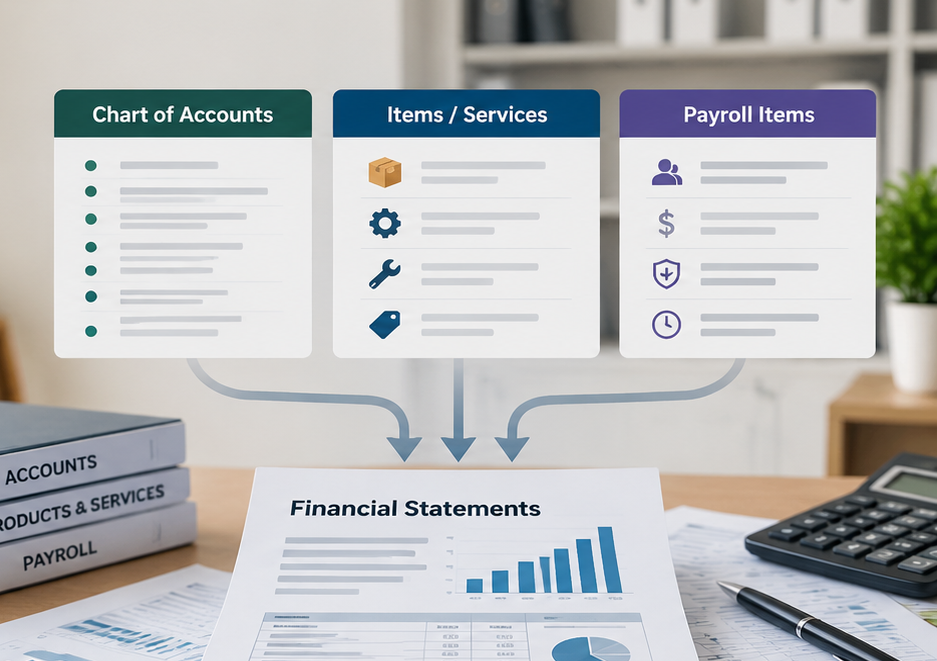
In QuickBooks Desktop, there are three very important LISTS that provide the framework for all of your transactions. When encountering account coding difficulties within the QuickBooks transactions, you should refer to your lists for an understanding of your basic accounting set up.
CHART OF ACCOUNTS
The chart of accounts is the primary list to which all accounting processes will attach themselves. Your trial balance, income statement, and balance sheet are affected by the account coding details in the chart of accounts. Whenever you encounter a new type of transaction to record in QuickBooks, you should check this list to determine what account to tag to your transaction.
ITEM LIST OR SERVICE ITEM LIST
The Item List, or Service Item List, contains the services and items used in the invoicing process. Each item is tagged to an account in the chart of accounts, so when you use these items, the transactions will end up in the account that you tagged. You can control to which accounts your sales/revenue, cost of sales and inventory transactions are posted.
PAYROLL ITEM LIST
The payroll item list is the framework for all components affecting your payroll process. By correctly coding each payroll item with the proper account when your list is established, you can prepare meaningful payroll and labor distribution reports. This affects the relationship between your payroll data and the financial statements.
In The End
When we prepare the Client Recommendations upon completion of our periodic review of your financial data, we often refer you to these lists to make changes so that incorrect coding encountered does not repeat in future periods. For more information reach out to Cheryl Jefferson & Associates Today!

Frequently Asked Questions
1. What are the most important lists in QuickBooks?
Key QuickBooks Desktop lists include the Chart of Accounts and lists used to organize customers, vendors, products and services, and other accounting information. The specific lists available depend on the QuickBooks product you use.
2. Why is the Chart of Accounts important in QuickBooks?
The Chart of Accounts organizes transactions into categories such as assets, liabilities, income, and expenses. Proper setup helps produce more accurate and useful financial reports.
3. Can incorrect QuickBooks list setup affect financial reports?
Yes. Because accounts and items help determine how transactions are categorized, incorrect setup or coding can cause transactions to appear in the wrong places on financial reports.